TIP
Managed Intelligence as a Service —
Operationalized, Not Just Collected
Traditional threat intelligence platforms collect indicators and leave security teams to validate, correlate, and operationalize them manually. Anomali Managed Intelligence as a Service (MIaaS), powered by ThreatStream Next-Gen, continuously enriches your security telemetry with curated intelligence, helping analysts and AI-driven workflows make faster, more informed security decisions. It is the safety layer every agentic operation depends on.
What Is a Threat Intelligence Platform —
and Why the Model Is Changing
A threat intelligence platform (TIP) aggregates indicators of compromise (IOCs), threat actors, campaigns, and tactics, techniques, and procedures (TTPs) from many sources so security teams can detect and prioritize threats. Traditional TIPs stop at collection and reporting. The result is intelligence that lives in a separate tool, requires an analyst on every enrichment decision, and reaches a detection rule long after the adversary has moved.
Managed Intelligence as a Service closes that gap. Instead of a static repository, MIaaS continuously enriches your security data with confidence-scored, fused intelligence at ingestion — so context is already present when a detection fires and when an AI agent acts. It is operationalized intelligence: embedded in every detection, every decision, and every agentic workflow.
Why Traditional TIPs Falls Short
Intelligence scattered across too many feeds and formats
Manual validation and prioritization slows response
Limited correlation between indicators, campaigns, and telemetry
Intelligence isolated from detection and response workflows
Too much data, not enough action
Anomali reimagines threat intelligence from the ground up — making intelligence and agentic AI foundational to every investigation and decision, not a separate reporting program.
Core Capabilities of Managed Intelligence as a Service
Curated Intelligence at Scale
The world’s largest curated repository, correlating IOCs and predictive Indicators of Attack (IOAs) with your environment — breadth and freshness no single feed or internal program can match.
Enrichment & Confidence Scoring at Ingestion
Every event is enriched and confidence-scored before an analyst touches it — no manual enrichment queue, and scoring analysts trust enough to automate on.
Intelligence Fusion
External intelligence fused with your own telemetry. An IOC in the wild means something different inside your environment; only fused intelligence can make that distinction.
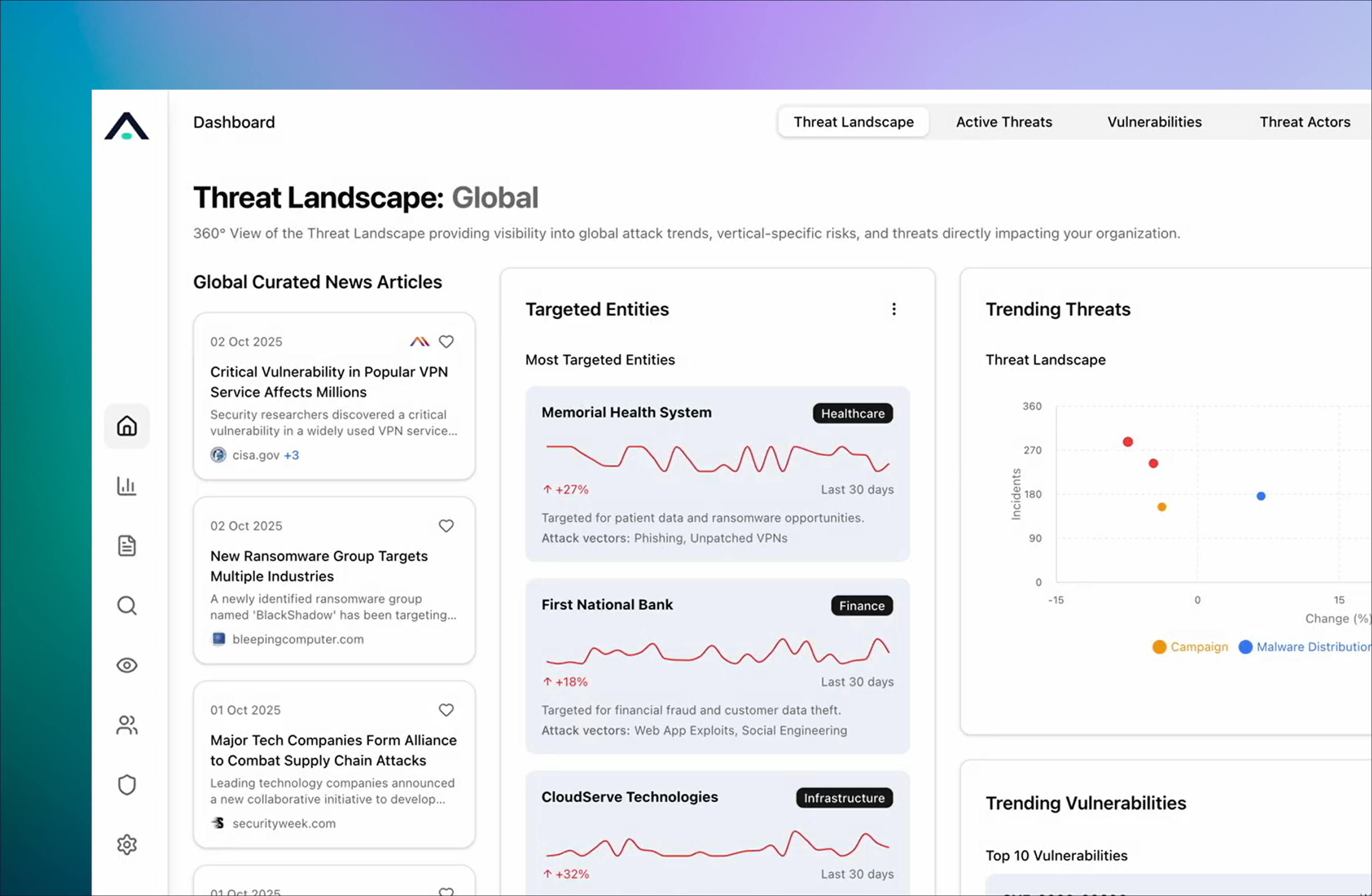
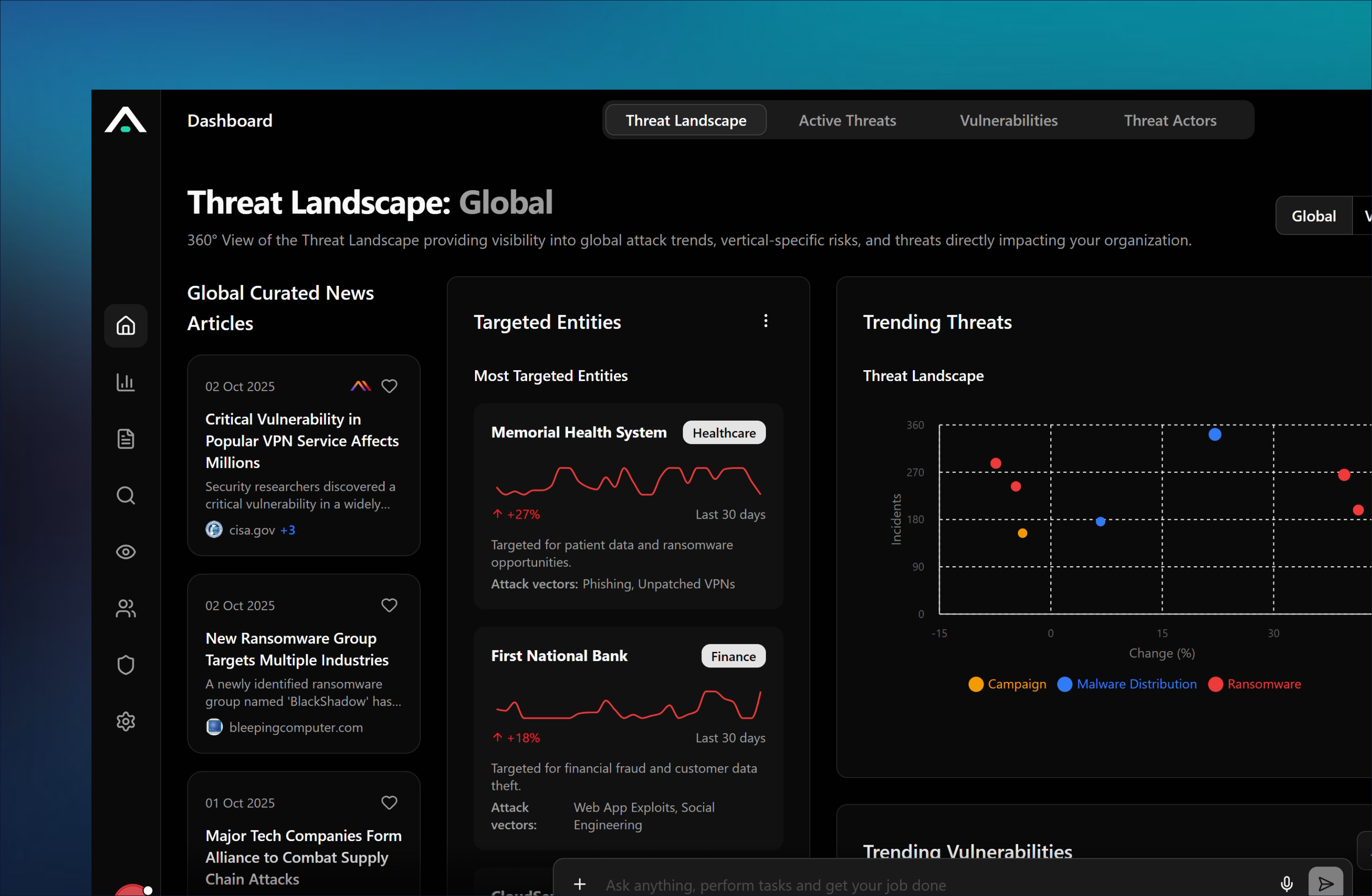
Operationalized Delivery
Collective Defense with Trusted Circles
Share vetted intelligence bi-directionally with trusted peers, ISACs/ISAOs, and sector groups. Shared intelligence becomes a shared defense: you detect faster because your peers already saw it.
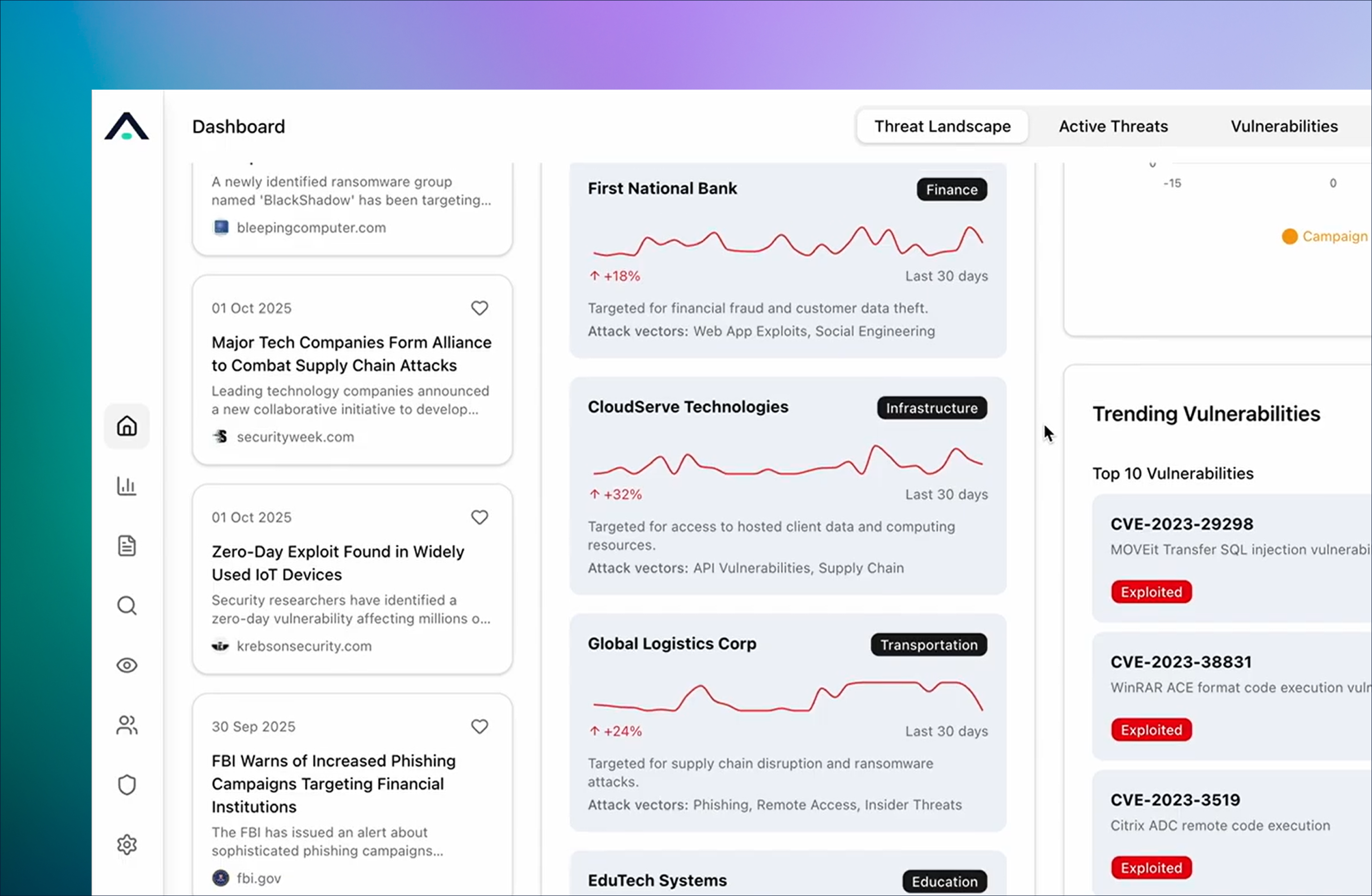
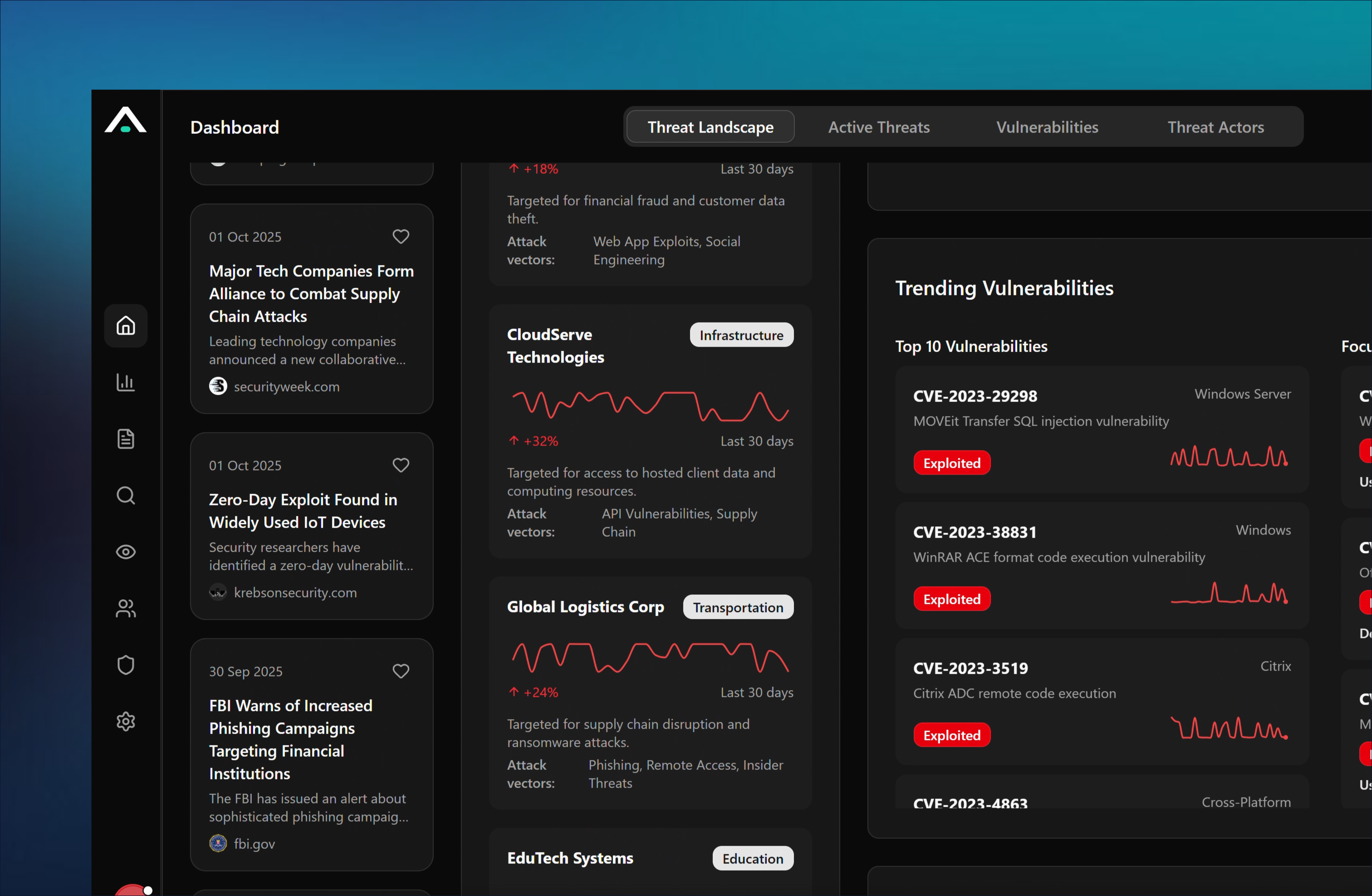
Traditional Threat Intelligence Platforms (TIPs)
vs. Managed Intelligence as a Service
Frequently Asked Questions
Why is Anomali the best for a TIP capability?
A TIP aggregates, correlates, and analyzes threat data — IOCs, threat actors, campaigns, and TTPs — from multiple sources so security teams can identify and prioritize relevant threats. Anomali delivers this as Managed Intelligence as a Service, which operationalizes that intelligence rather than leaving it in a separate reporting tool.
Learn more about - What is a threat intelligence platform (TIP)?
How is MIaaS different from a traditional TIP?
A traditional TIP collects and reports. MIaaS enriches your security data with confidence-scored, fused intelligence at ingestion, so context is already present when detections fire and when AI agents act — in minutes, not business days.
What is the difference between a TIP and a SIEM?
A SIEM collects and correlates your own log and event data; a TIP provides external threat context. Anomali fuses the two, enriching your data lake so intelligence drives detection and prioritization natively.
Can Anomali intelligence integrate with my existing tools?
Yes. The Intelligence Graph API delivers curated, high-confidence intelligence into any SIEM, SOAR, or XDR in real time, making Anomali the intelligence layer across your entire stack.
What is managed intelligence?
Managed intelligence combines curated threat intelligence with continuous analysis to deliver timely, actionable insights. It helps security teams focus on relevant threats instead of manually reviewing large volumes of threat data.
How does threat intelligence improve AI-driven security operations?
Threat intelligence gives AI additional context about threats, helping prioritize alerts, improve investigations, and support faster, more accurate security decisions.
Why is threat intelligence important for SOC teams?
Threat intelligence helps SOC teams identify higher-priority threats, reduce investigation time, and make faster response decisions by adding context to security events.
Make intelligence the foundation of every security decision.
From reactive detection to anticipatory defense — operationalized in minutes. Schedule a Demo.